Disk Preservation Games: Physical Media Conservation Methods
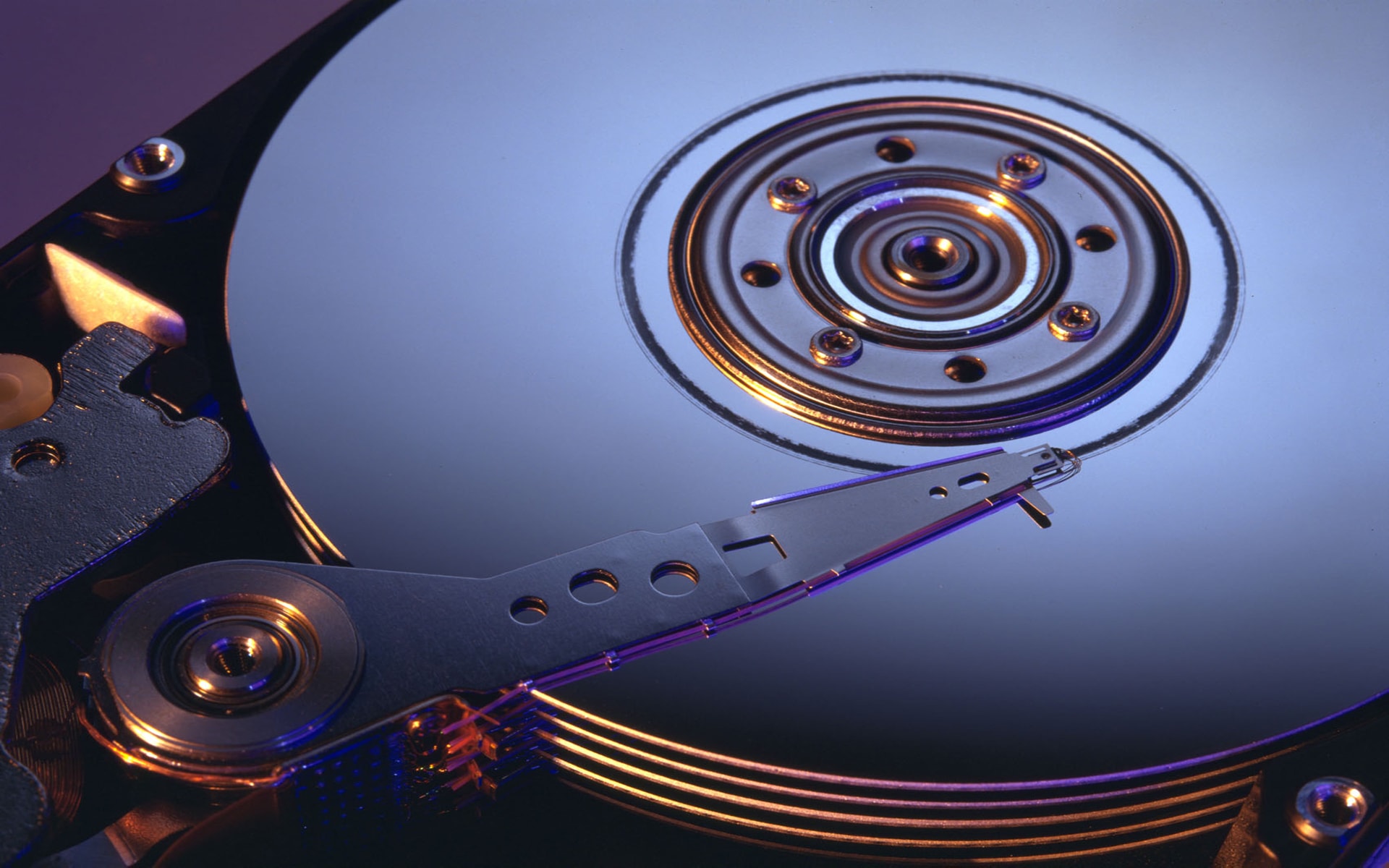
Remember that dusty box of old games tucked away in the attic? The ones you spent countless hours playing as a kid? What if I told you those cherished memories are slowly fading, quite literally, as the physical media they reside on degrade with time? The race is on to preserve these pieces of our history, and it's a task that requires knowledge, dedication, and a touch of archival wizardry.
The reality is that physical media, from floppy disks to CDs and DVDs, isn't designed to last forever. Scratches, disc rot, magnetic degradation, and simply the passage of time all conspire to render these once-vibrant games unplayable. Finding reliable information on properly preserving these treasures can be a challenge, often leading to frustration and potentially accelerating the deterioration process if improper methods are used.
This article aims to be your guide in the world of disk preservation for games. We will explore the techniques, best practices, and potential pitfalls of conserving your physical game collection, ensuring that future generations can experience the joy and artistry of these digital artifacts.
We'll delve into the nitty-gritty details of handling, cleaning, and storing physical game media to maximize its lifespan. We will explore techniques like imaging and emulation to create digital backups. By understanding the enemies of physical media and how to combat them, you can take proactive steps to preserve your gaming heritage. Key concepts include physical media preservation, game archiving, digital backups, emulation, and the long-term storage of data.
The Importance of Proper Handling
My first encounter with the fragility of physical media came with a beloved copy of "The Secret of Monkey Island" on floppy disk. I remember excitedly returning from a friend's house, eager to continue my swashbuckling adventure, only to find that one of the disks was unreadable. The sinking feeling of realizing that hours of progress were potentially lost was a powerful lesson in the importance of careful handling. From that day forward, I became much more meticulous in how I treated my game disks. This experience made me realize that it is not enough just to store them in a box; you need to handle them with care, keep them clean, and protect them from environmental hazards.
Proper handling is paramount in preserving physical media. Avoid touching the reflective surface of CDs and DVDs, as oils from your fingers can attract dust and lead to scratches. When handling floppy disks, avoid bending or flexing them, and never expose them to magnets. Always store disks in their original cases or protective sleeves to shield them from dust, scratches, and light. Even seemingly minor damage can eventually render a disk unreadable. Regular inspection for signs of wear or damage is also crucial, as early detection can allow for timely intervention and prevent further degradation. Think of your physical games as historical artifacts that require mindful handling to ensure their survival for future generations.
Understanding Disc Rot and Magnetic Degradation
Disc rot, a common ailment affecting CDs and DVDs, is a slow but relentless form of decay that can render your precious games unplayable. It's caused by chemical reactions within the disc's layers, often triggered by impurities or environmental factors like humidity and temperature fluctuations. The telltale signs include discoloration, pinholes, or a bronze-like sheen on the disc's reflective surface. Unfortunately, once disc rot sets in, it's often irreversible.
Magnetic degradation, on the other hand, primarily affects floppy disks and other magnetic storage media. Over time, the magnetic particles that store data can lose their alignment, leading to data loss and eventual unreadability. Factors like exposure to magnetic fields, extreme temperatures, and physical stress can accelerate this process. Unlike disc rot, magnetic degradation can sometimes be mitigated by techniques like disk imaging and data recovery, but success is not always guaranteed. Understanding these degradation mechanisms is crucial for developing effective preservation strategies. Proper storage, including temperature and humidity control, can significantly slow down these processes and extend the lifespan of your physical game collection.
The History and Myths of Game Preservation
The concept of game preservation is relatively new, emerging as a serious concern only as older physical media began to show signs of deterioration. In the early days of computing, data was often considered ephemeral, and little thought was given to its long-term preservation. However, as games became more sophisticated and culturally significant, the need to protect this unique art form became increasingly apparent.
One common myth is that simply storing games in a cool, dry place is sufficient for preservation. While this is certainly a good starting point, it's not a foolproof solution. Factors like humidity fluctuations, exposure to light, and even the inherent instability of certain materials can still contribute to degradation over time. Another myth is that once a game is lost or unplayable, it's gone forever. While recovering data from damaged media can be challenging, it's not always impossible. Techniques like forensic data recovery and specialized disk imaging tools can sometimes retrieve data from even severely degraded disks. Game preservation is an ongoing process that requires a multi-faceted approach, combining careful handling, proper storage, and proactive measures like digital backups.
Unveiling the Hidden Secrets of Physical Media
One of the lesser-known secrets of physical media preservation is the importance of creating detailed metadata records. This includes information about the game's publisher, release date, platform, and any known bugs or issues. This metadata can be invaluable for future researchers and historians who seek to understand the game's context and significance.
Another often overlooked aspect is the preservation of associated materials, such as manuals, box art, and promotional materials. These items provide valuable insights into the game's design, marketing, and cultural impact. They can also be useful for verifying the authenticity of a game and ensuring that it's being emulated or played correctly. Furthermore, understanding the specific materials used in the manufacturing of your game media can help you anticipate potential degradation issues and develop appropriate preservation strategies. For instance, knowing that a particular brand of CD-R is prone to disc rot can prompt you to create backups using more reliable media. The more you know about your physical games, the better equipped you'll be to protect them for the long term.
Recommendations for Preserving Your Collection
If you're serious about preserving your physical game collection, there are several key recommendations to follow. First, prioritize creating digital backups of your games using disk imaging software. This will allow you to play your games on modern systems using emulators, even if the original disks become unreadable. Second, invest in proper storage solutions, such as archival-quality sleeves and boxes, to protect your games from dust, scratches, and light. Third, monitor your games regularly for signs of degradation, such as discoloration or physical damage. Early detection can allow you to take corrective action before it's too late.
Consider investing in a climate-controlled storage environment to minimize temperature and humidity fluctuations. This can significantly slow down the rate of degradation. Finally, educate yourself on the specific preservation needs of different types of physical media. Floppy disks, CDs, DVDs, and cartridges all require different handling and storage techniques. By following these recommendations, you can significantly increase the lifespan of your physical game collection and ensure that these valuable pieces of gaming history are preserved for future generations.
Deeper Dive: The Role of Emulation
Emulation plays a crucial role in game preservation by allowing us to play older games on modern hardware. Emulators are software programs that mimic the behavior of a specific game console or computer, allowing you to run games designed for that platform on your current system. This is essential for preserving games that are no longer playable on their original hardware, either due to hardware failure or the unavailability of compatible systems. However, emulation is not without its challenges.
Creating accurate emulators requires a deep understanding of the original hardware's architecture and programming. Furthermore, emulation is often dependent on the availability of ROM images, which are digital copies of the game's data. Obtaining these ROM images can be legally complex, as copyright laws vary from country to country. Despite these challenges, emulation remains a vital tool for game preservation, allowing us to experience classic games in a way that would otherwise be impossible. As technology advances, emulators are constantly being refined and improved, ensuring that future generations can enjoy the games of the past.
Essential Tips for Disk Preservation
One of the most essential tips for disk preservation is to handle your physical media with the utmost care. Always hold CDs and DVDs by their edges to avoid leaving fingerprints on the reflective surface. When inserting or removing disks from drives, do so gently to prevent scratches or other damage. For floppy disks, avoid bending or flexing them, and never expose them to magnets. In addition to careful handling, proper cleaning is also crucial. Use a soft, lint-free cloth to gently wipe away dust or debris from the disk's surface. Avoid using harsh chemicals or abrasive cleaners, as these can damage the disk's delicate layers.
Regularly inspect your disks for signs of wear or damage, such as scratches, discoloration, or warping. If you notice any problems, take immediate action to prevent further degradation. This might involve creating a digital backup of the disk or storing it in a more protective environment. Finally, remember that prevention is always better than cure. By following these essential tips, you can significantly extend the lifespan of your physical game collection and ensure that these valuable pieces of gaming history are preserved for future generations.
Advanced Techniques: Disk Imaging and Data Recovery
For those serious about disk preservation, advanced techniques like disk imaging and data recovery can be invaluable tools. Disk imaging involves creating a complete, sector-by-sector copy of a disk's contents, including all data, metadata, and file system information. This creates a perfect replica of the original disk, which can be used to create backups or to restore data from damaged disks. Disk imaging software like Clonezilla and ddrescue can be used to create disk images from a variety of physical media, including floppy disks, CDs, and DVDs. However, the process can be time-consuming and requires a good understanding of the software's settings and options.
Data recovery, on the other hand, involves attempting to retrieve data from damaged or corrupted disks. This can be a complex and challenging process, often requiring specialized hardware and software. Techniques like forensic data recovery and magnetic force microscopy can be used to recover data from even severely degraded disks. However, success is not always guaranteed, and the process can be expensive. If you're attempting data recovery, it's important to work with a reputable data recovery specialist who has experience with physical media preservation.
Fun Facts About Physical Media Preservation
Did you know that the Library of Congress has a dedicated division for preserving video games? This highlights the cultural significance of games and the importance of preserving them for future generations. Another fun fact is that some collectors use nitrogen-filled cabinets to store their physical game collections, creating an inert atmosphere that prevents oxidation and degradation. While this might seem extreme, it demonstrates the lengths to which some people will go to protect their valuable games. It is also interesting that the term "disk rot" actually predates CDs and DVDs; it was originally used to describe the degradation of vinyl records.
Furthermore, the oldest known video game, "Tennis for Two," was created in 1958, predating the first commercial video game, "Computer Space," by over a decade. While the original analog hardware for "Tennis for Two" is long gone, its legacy lives on through recreations and simulations. These fun facts illustrate the rich history of video games and the ongoing efforts to preserve this important part of our cultural heritage. The challenges of preserving physical media may seem daunting, but the rewards are well worth the effort, ensuring that future generations can experience the joy and artistry of these digital artifacts.
How to Create Digital Backups of Your Games
Creating digital backups of your games is a crucial step in preserving your physical media. The first step is to choose the right disk imaging software. Popular options include Iso Buster for CDs and DVDs and Win Image for floppy disks. Once you've selected your software, the next step is to create a disk image of your game. This involves inserting the disk into your computer's drive and using the software to create a sector-by-sector copy of the disk's contents. This can be a time-consuming process, depending on the size of the disk and the speed of your drive.
Once the disk image is created, it's important to verify its integrity. This involves comparing the disk image to the original disk to ensure that no data has been lost or corrupted. Some disk imaging software includes built-in verification tools, while others require you to use separate utilities. Finally, store your disk images in a safe and secure location, such as an external hard drive or a cloud storage service. Consider creating multiple backups and storing them in different locations to protect against data loss. With these digital backups, you can ensure that your games will be playable for years to come, even if the original physical media degrades or becomes unreadable.
What If Your Disk Is Already Damaged?
Discovering that a beloved game disk is damaged can be disheartening, but it doesn't necessarily mean that all hope is lost. The first step is to assess the extent of the damage. Minor scratches or smudges can often be cleaned with a soft, lint-free cloth. However, more serious damage, such as deep scratches or disc rot, may require more advanced techniques.
If the damage is relatively minor, you can try using a disk repair kit to buff out the scratches. These kits typically include a polishing compound and a soft cloth. However, it's important to use these kits with caution, as excessive polishing can actually damage the disk further. If the damage is more severe, you may need to consult a data recovery specialist. They have specialized tools and techniques for recovering data from damaged disks. However, data recovery can be expensive, and success is not always guaranteed. Even if you can't recover all of the data, you may be able to salvage enough to play the game or to create a partial backup. Remember, even a partially recovered game is better than none at all.
Listicle: 5 Essential Tools for Disk Preservation
Here are 5 essential tools that every aspiring game preserver should have:
- Disk Imaging Software: Essential for creating digital backups of your games. Recommended options include Iso Buster, Win Image, and Clonezilla.
- Archival-Quality Sleeves: Protect your disks from dust, scratches, and light. Look for sleeves made from acid-free materials.
- Soft, Lint-Free Cloths: For gently cleaning your disks without causing damage. Microfiber cloths are a good choice.
- Climate-Controlled Storage: A cool, dry environment can significantly slow down the rate of degradation. Consider investing in a dehumidifier or a climate-controlled cabinet.
- Data Recovery Software: In case of damage, data recovery software can help you retrieve lost data. Test Disk and Photo Rec are popular open-source options.
These tools will help you to preserve your physical game collection and ensure that these valuable pieces of gaming history are protected for future generations. Remember, the key to successful disk preservation is a combination of careful handling, proper storage, and proactive measures like digital backups.
Question and Answer
Q: What's the best way to clean a dirty game disc?
A: Use a soft, lint-free cloth and gently wipe the disc from the center outwards. Avoid using circular motions, as this can spread scratches. If necessary, you can lightly dampen the cloth with distilled water or isopropyl alcohol.
Q: How should I store my floppy disks to prevent damage?
A: Store floppy disks in their original cases or protective sleeves, away from direct sunlight, heat, and magnetic fields. Keep them in a cool, dry place with stable temperature and humidity.
Q: Is it legal to download ROMs of games I already own?
A: The legality of downloading ROMs varies depending on your country's copyright laws. In many jurisdictions, it's illegal to download ROMs of games that are still under copyright, even if you own the original physical copy. However, some countries have exceptions for personal use or archival purposes.
Q: How do I know if my game disc is suffering from disc rot?
A: Look for signs of discoloration, pinholes, or a bronze-like sheen on the disc's reflective surface. If you notice any of these symptoms, the disc is likely suffering from disc rot.
Conclusion of Disk Preservation Games: Physical Media Conservation Methods
Preserving our gaming heritage is a crucial endeavor, one that requires a blend of technical knowledge, careful handling, and a genuine appreciation for these digital artifacts. By understanding the vulnerabilities of physical media and employing effective preservation techniques, we can ensure that future generations have the opportunity to experience the joy and artistry of classic games. From creating digital backups to implementing proper storage solutions, every step we take contributes to safeguarding this important part of our cultural history. The journey of disk preservation is ongoing, but with dedication and the right tools, we can keep the spirit of these games alive for years to come.
Post a Comment